
Connect SAP to Your Enterprise Content Repository
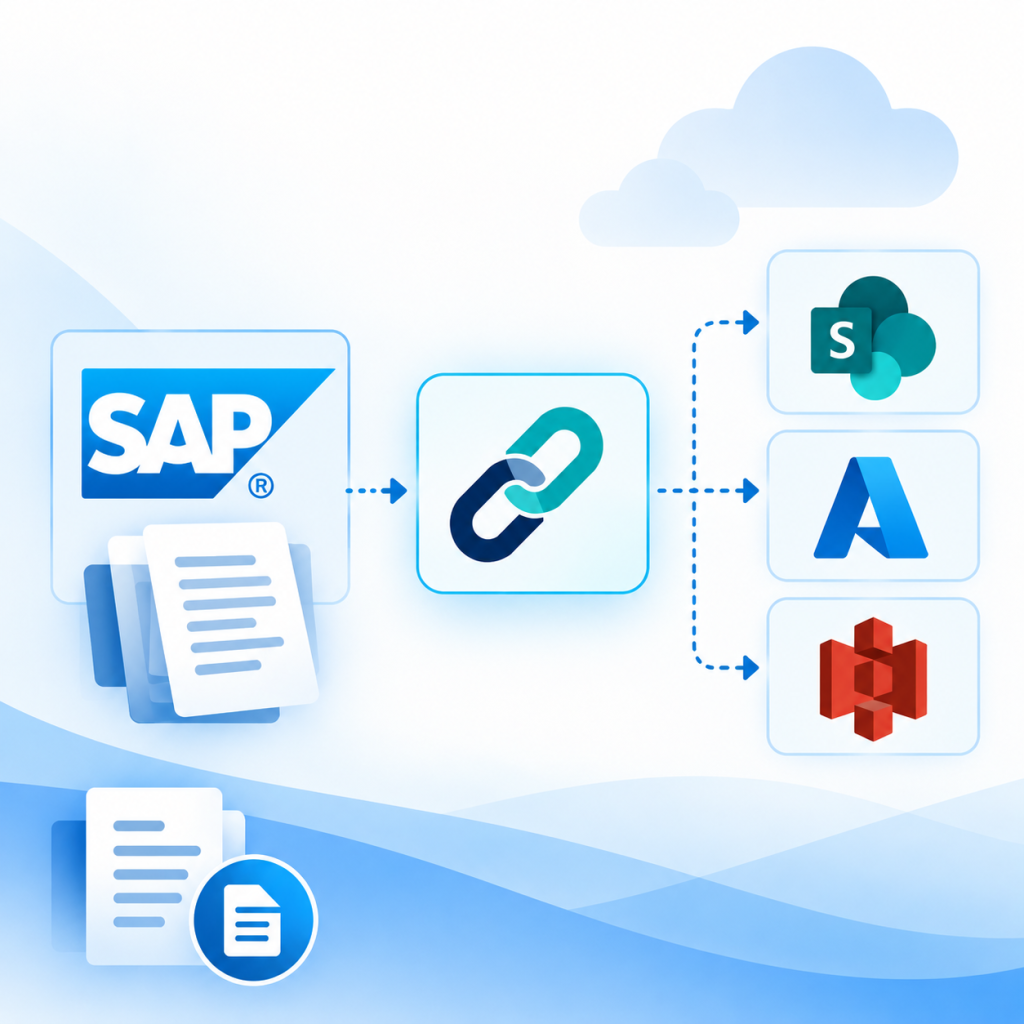
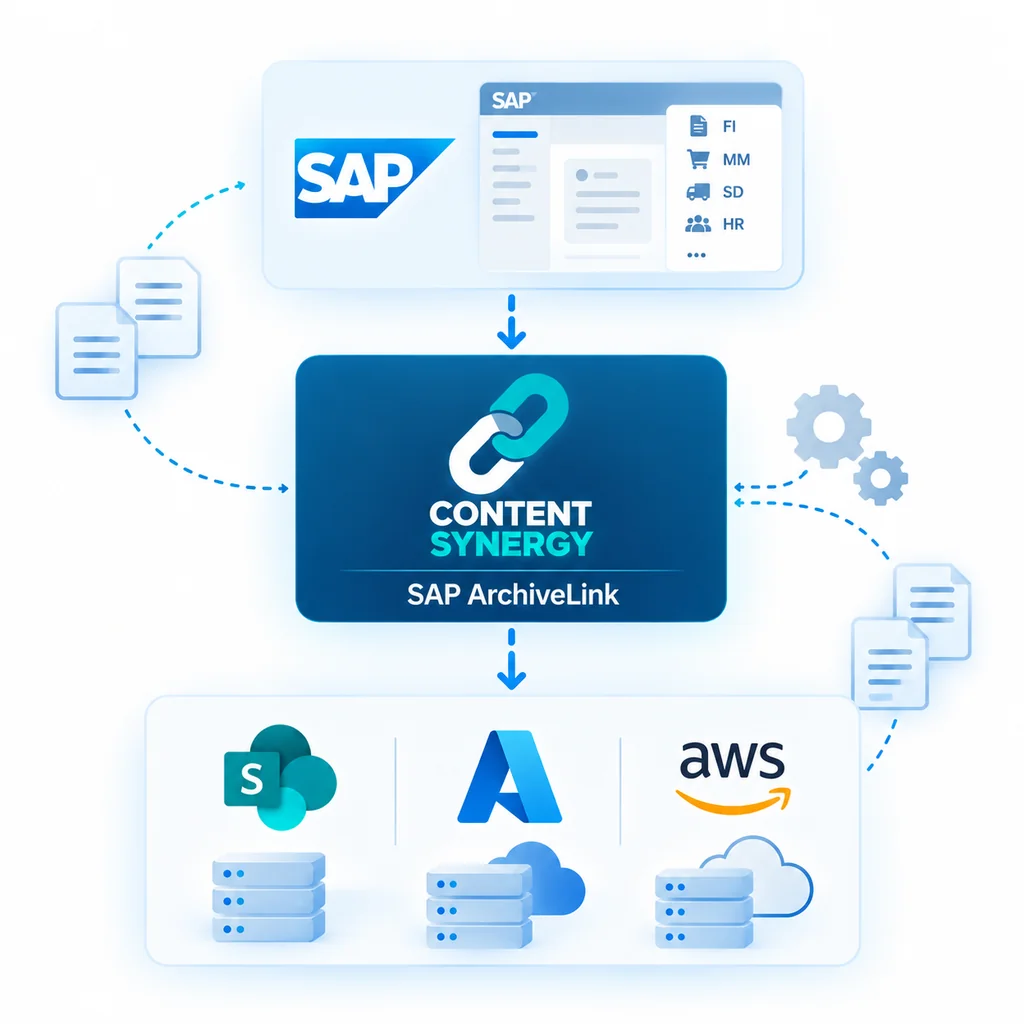
Content Synergy is an SAP ArchiveLink connector that connects SAP with external content repositories such as Microsoft SharePoint Online, Azure Blob Storage, and Amazon S3.
It enables SAP document archiving and retrieval through the ArchiveLink framework while allowing customers to manage their own SAP, repository, infrastructure, and integration environments.
The Role of SAP ArchiveLink
The Standard Connection Between SAP and External Content Repositories
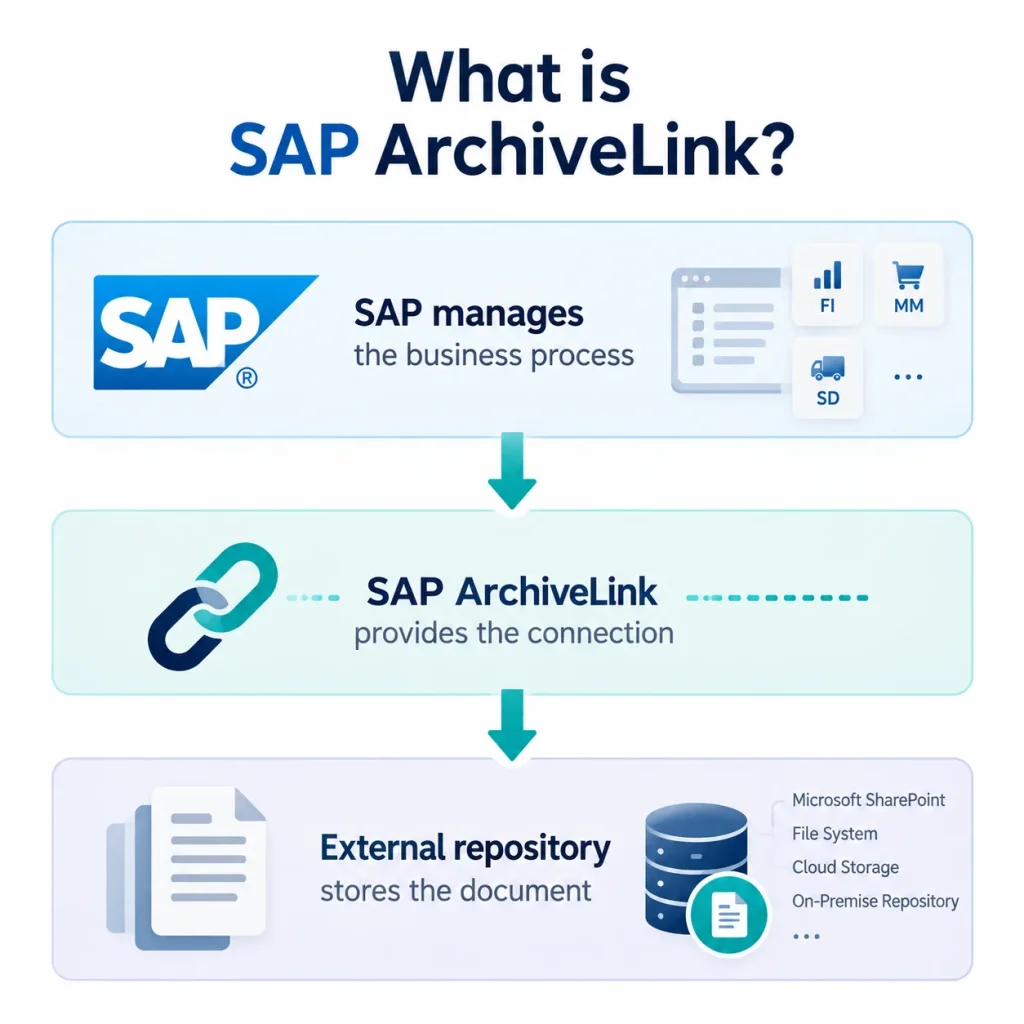
SAP ArchiveLink provides the standard framework for connecting SAP applications with external content repositories.
ArchiveLink does not serve as the physical storage location for the document. Instead, it provides the connection that allows SAP to communicate with the configured external repository.
SAP
↓
SAP ArchiveLink
↓
Content Repository
Content Synergy acts as the connector within this architecture, enabling the ArchiveLink connection with the customer’s selected repository.
How Content Synergy Connects SAP to Your Content Repository?
The Standard Connection Between SAP and External Content Repositories
A SAP ArchiveLink with Multiple Repository Options.
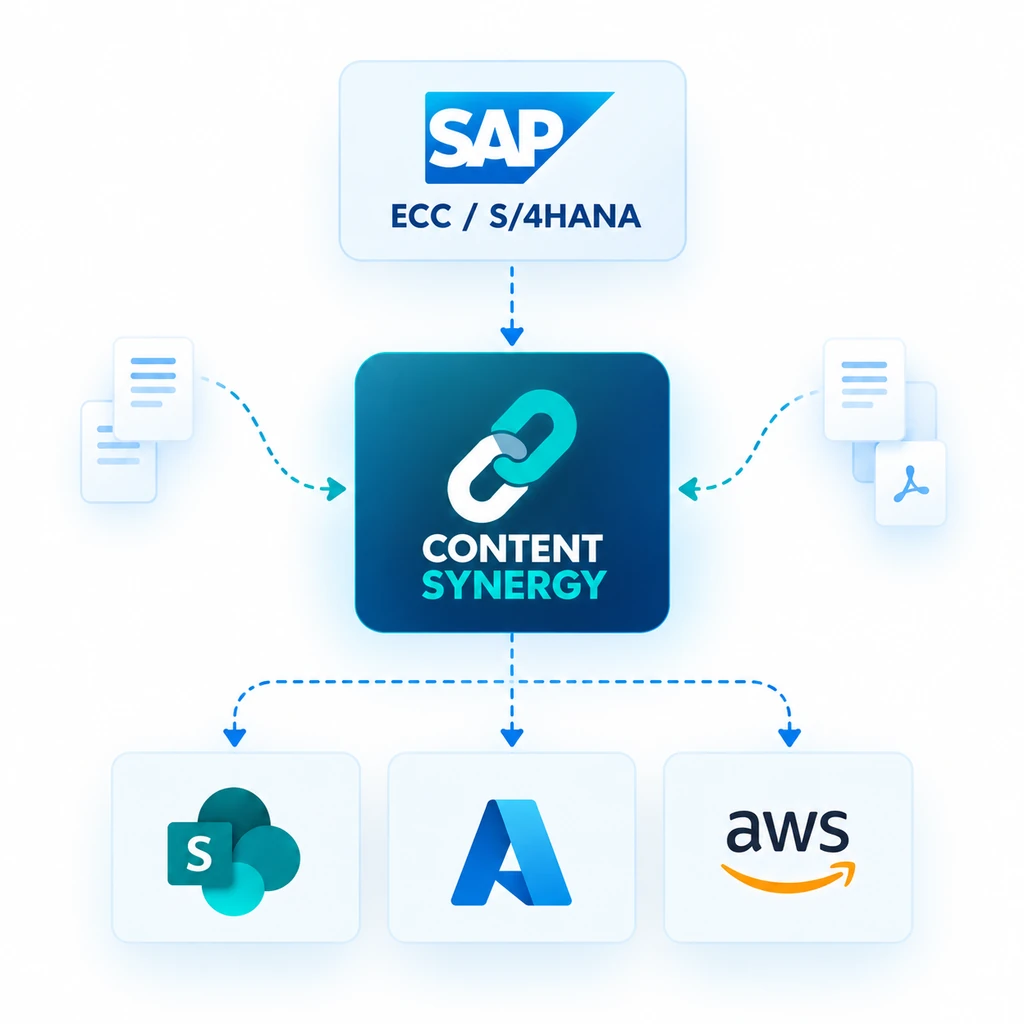
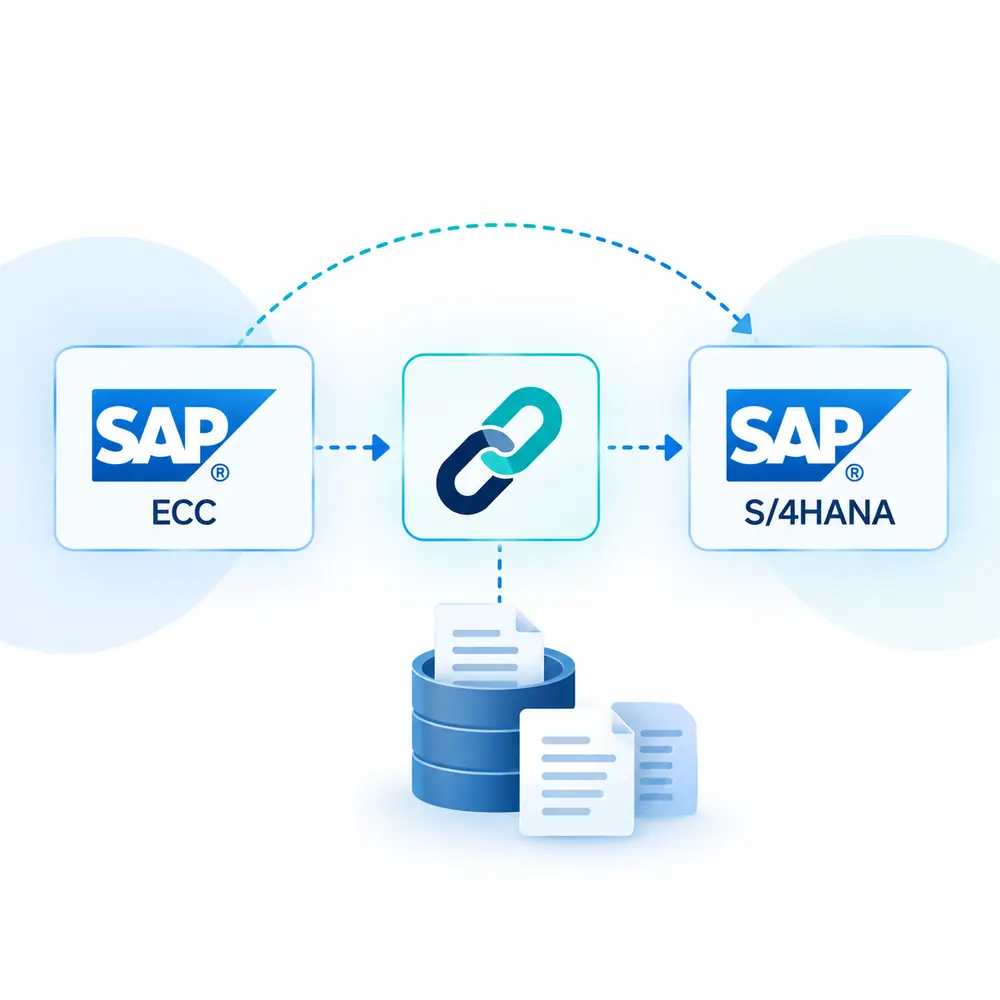
Content Synergy connects SAP with the repository selected by the customer.
SAP ECC / SAP S/4HANA
↓
Content Synergy SAP ArchiveLink
↓
SharePoint Online/Azure Blob Storage/Amazon S3
The customer manages the integration and repository environment. Content Synergy provides the connector, while our team can provide consulting and technical guidance when required.
Document Archiving Flow
From SAP to Your Selected Repository
When an SAP document needs to be archived, the ArchiveLink framework initiates the communication with the configured external repository.
1. Document Created in SAP
A document or attachment is associated with an SAP business process.
2. Archive Request
SAP ArchiveLink handles the request to archive the document in the external repository.
3. Content Synergy Connector
Content Synergy facilitates the ArchiveLink connection between SAP and the configured repository.
4. Document Stored
The document is stored in the customer's selected repository.
5. SAP Maintains the Reference
The SAP environment maintains the relevant reference needed to access the archived document.
Document Retrieval Flow
Access Archived Documents When They Are Needed
Archived documents can be retrieved through the ArchiveLink connection when required by SAP users or business processes.
1. Document Requested
A user or SAP business process requests an archived document.
2. SAP ArchiveLink Request
SAP uses ArchiveLink to communicate the retrieval request.
3. Content Synergy Connector
Content Synergy facilitates the connection to the configured repository.
4. Document Retrieved
The archived document is retrieved from the selected repository.
5. Document Accessed Through SAP
The document is made available through the relevant SAP process.
Choose Your Content Repository
Store SAP Documents in the Environment That Fits Your Business
Content Synergy supports multiple repository destinations:
Microsoft SharePoint Online
Connect SAP with SharePoint Online through SAP ArchiveLink and use your Microsoft 365 environment as the content repository.
Azure Blob Storage
Connect SAP with Azure Blob Storage for scalable cloud-based storage of archived SAP content.
Amazon S3
Connect SAP with Amazon S3 for scalable object storage within an AWS environment.
SAP ArchiveLink provides the connection. Content Synergy is the connector. Your selected repository stores the content.
Customer-Controlled Integration
A Standard Connection Between SAP and External Content Repositories
Your organization maintains control over:
- SAP ECC or SAP S/4HANA
- SAP ArchiveLink configuration
- Selected content repository
- Infrastructure
- Security and access configuration
- Integration environment
- Repository policies
Our team is available to provide consulting, architecture guidance, implementation assistance, and technical support based on your requirements.
Consulting When You Need It
Expert Guidance for Your ArchiveLink Deployment
While Content Synergy provides the connector, organizations may require technical expertise during planning, deployment, or troubleshooting.
Our consulting services can support:
- SAP ArchiveLink architecture
- Repository configuration guidance
- Integration planning
- Deployment guidance
- Technical troubleshooting
- Architecture reviews
- Product support
Ready to Connect SAP with Your Repository?
See How Content Synergy Works
Discover how Content Synergy can connect your SAP environment with SharePoint Online, Azure Blob Storage, or Amazon S3 through SAP ArchiveLink.